Asset Management, the IT inventory that keeps itself up to date
All your IT in one inventory: what you have, how it is configured, what it is missing. Including the machines nobody had ever recorded.
You cannot protect what you do not know you have
A spreadsheet last updated two years ago is not an inventory. Yet every security standard, from NIS2 to ISO/IEC 27001, starts there: knowing which devices, services and applications make up your infrastructure.
Dottor Box builds the IT inventory by itself, reconciling data from different discovery techniques. The agents report on the managed machines, the network map reveals the ones nobody had recorded, and the external scans add public addresses and web applications. All on a single page.
Assets are organised by type, function and criticality: the segmentation you need to decide where to start. And the inventory follows the company, recording new and decommissioned machines without anyone having to remember to do it.
Often the most interesting discovery is the list of machines on the network that nobody manages.
What you get
Managed and unknown
Machines with the agent and machines found on the network with no one responsible for them, in the same list.
Everything about every host
Patches, software, logins, vulnerabilities, shares and critical events, on one record.
The network as a map
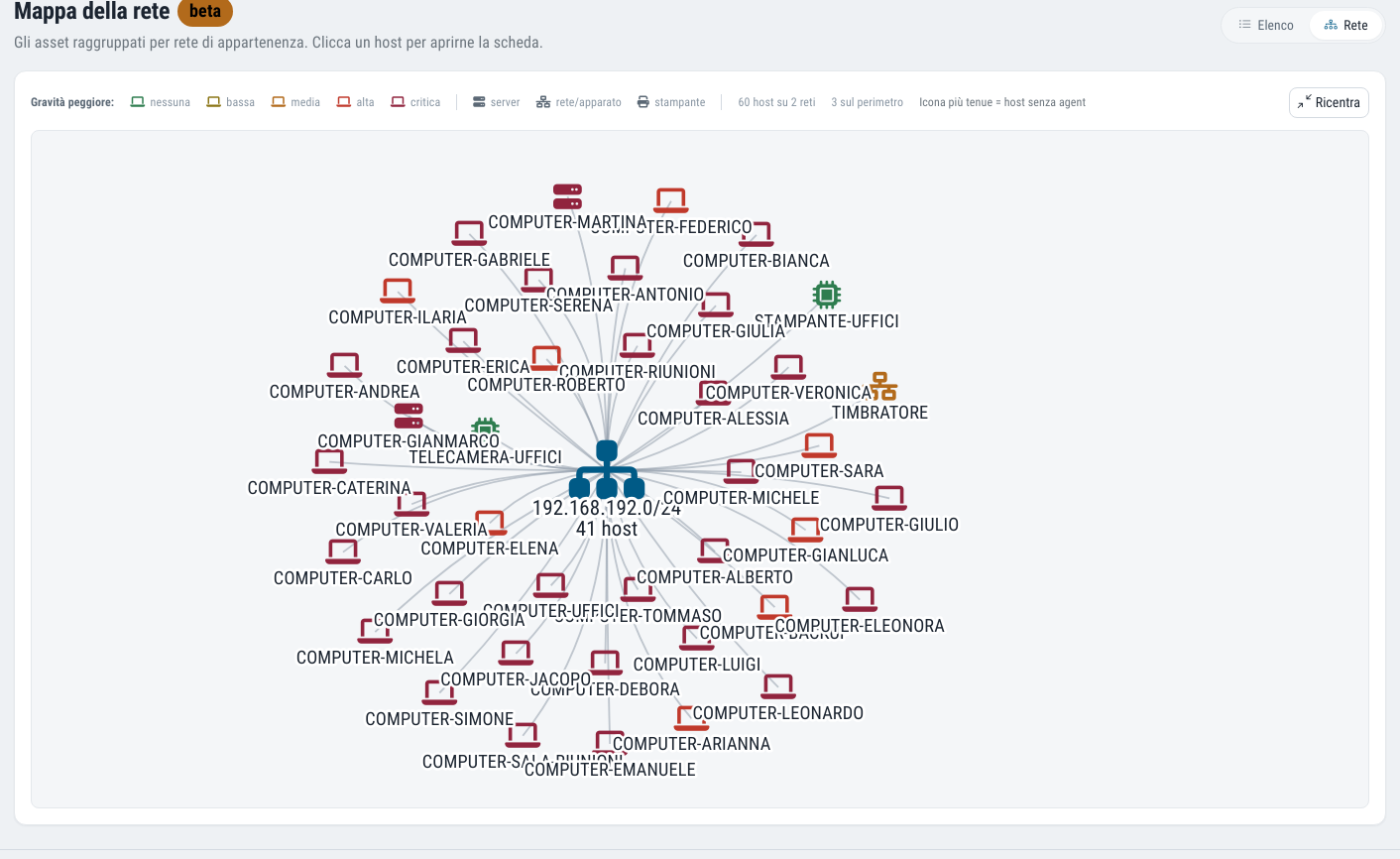
A graph view of the network, with a link to share with whoever needs to understand it.
Remote actions
Shutdown, restart, updating and uninstalling a piece of software, without opening another console.
Four types of asset in a single inventory
Hosts with the agent
PCs and servers with the Cyber Agent installed: IP address, name, operating system, CVE vulnerabilities detected by the agent and by the internal network scan, antivirus status, notes.
Hosts without the agent
Devices discovered by the Cyber Drill network map: printers, network devices, forgotten machines. What is on the network but managed by nobody.
Public IPs
The addresses exposed on the internet, the ones an attacker sees from outside.
Web applications
Websites, portals and online business applications that are part of your perimeter.
One host, everything about it
When you open a machine you find the richest page in the product. And when you open it the agent is resynchronised instantly: the data you are reading is from now, not from yesterday.
From here you can also take action: update or uninstall a program, restart, suspend or shut down a single machine, or all of them together.
- Basic details, interfaces and network addresses
- Installed hotfixes and patches
- Installed software, with its authorisation status
- The last 15 logins to the machine
- Network vulnerabilities relating to that host
- Open shares on the host
- Position on the network map
- Log of critical events
- CVE vulnerabilities sorted by severity
The agents are installed by copying a command
On the inventory page you find the agent installation commands already filled in for your company, ready to copy and paste: for Linux, for example, there are variants for rpm and deb packages and for amd64 and aarch64 architectures. Machines appear in the list shortly after installation.
For the internal network part you need the Cyber Drill on site; for public IPs and web applications, defining the attack surface is enough.
Why per-asset pricing matters. The Dottor Box fee is calculated on the average number of assets monitored in the previous month. A complete, up-to-date inventory is therefore also the simplest way to know what you are paying for.
IT asset inventory: frequently asked questions
Do I have to install the agent on every machine?
To get the full detail of a machine (patches, software, logins, events), yes. But even without the agent, machines reachable on the network appear in the inventory thanks to the network map: that is exactly how the unmanaged ones are discovered.
Does the inventory have to be updated by hand?
No. The agents, the network map and the external scans keep it up to date by themselves, and when you open a machine the agent data is resynchronised on the spot.
Which standards it supports
An inventory of hardware and software assets is the first control in almost every security framework: here it is a living list, which becomes evidence rather than a statement.
Often activated together
Cyber Agent
The endpoint agent: security events, file integrity and clear, readable alerts.
Learn more SeeAuthorised software
Installed software compared with the approved list, to find what should not be there.
Learn more SeeInternal network
Your LAN scanned by the on-site probe, the way malware that is already inside would see it.
Learn moreDo you know what someone looking for a target can see of your company?
In a demo on your real systems we show you what is exposed, how much it matters and where to start. Then, if you need it, a tailored proposal.